The LMS that prepares professionals for international certifications in project management,
agility, business analysis and business intelligence — combining instructor-led training with
self-paced learning.
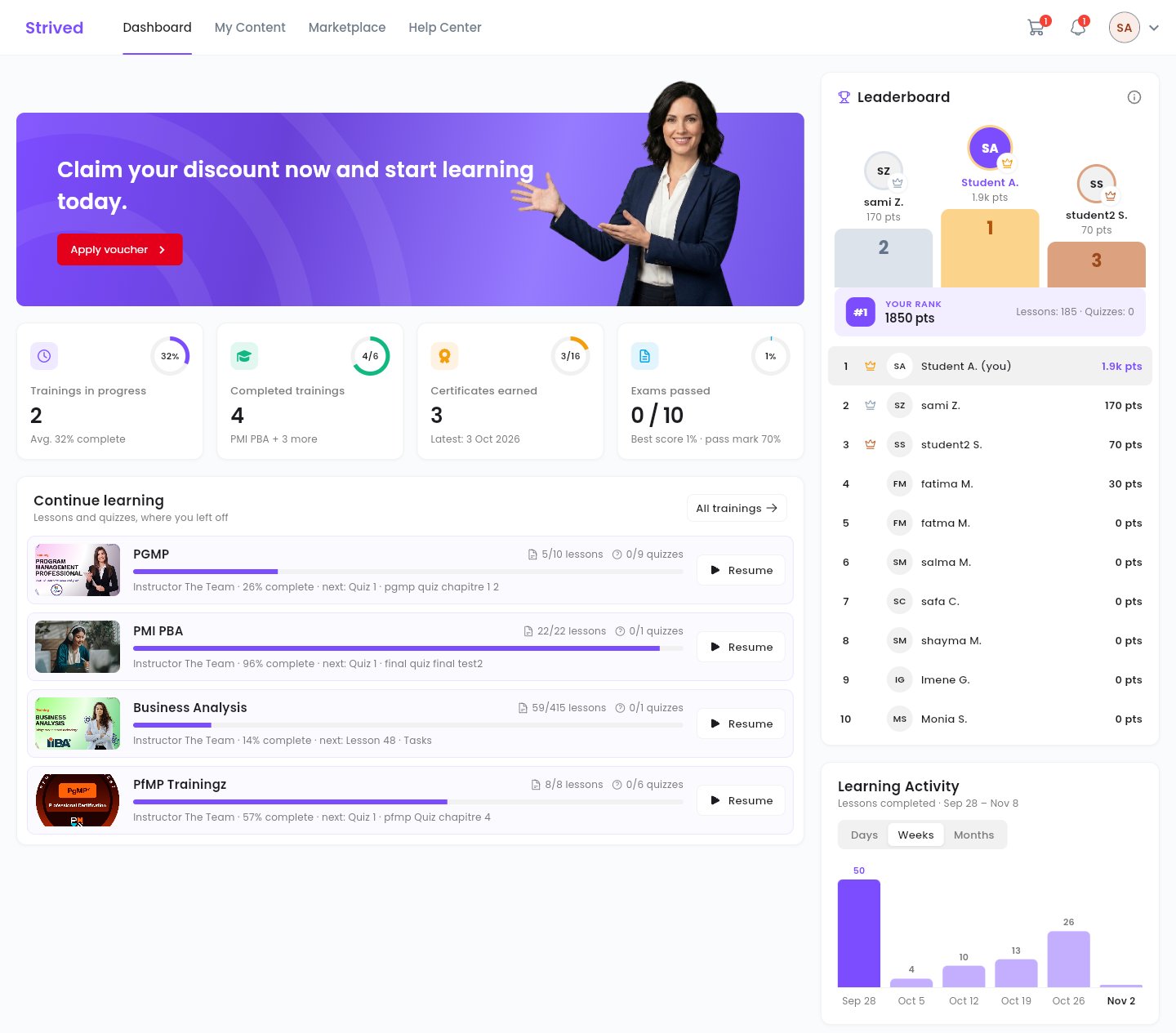
A learner's dashboard: trainings in progress, certificates, exams, leaderboard and activity.
How Strived works
Four roles share the platform. Instructors create the content, content managers and admins publish it, learners get access to it and learn, and the platform hands out the certificates. An admin can also do everything a content manager does.What each role does
What learners get
Self-paced trainings
Chapters of video and document lessons with quizzes, a course player that remembers where the
learner stopped, and a progress bar on every training.
Exam simulator
Mock exams built like the real one: same timer, same number of questions, same pass mark.
Every attempt can be reviewed question by question, with explanations.
Instructor-led classrooms
One page per group, where the instructor posts the live-session link, the plan and the
resources, and a group chat with the instructor.
Certificates
Issued when a training is complete, ready to download, print and share, and verifiable online.
Motivation
A dashboard of the learner’s progress and a leaderboard. The top learners earn discount
coupons.
Three languages
The whole app is available in English, French and Arabic.
Strived on the phone
Learners also have Strived as a mobile app for iPhone and Android. The first time it opens, a short welcome tour asks for their language and shows what Strived prepares them for. Then they find the same dashboard, trainings and classroom chat as on the web, and their progress follows them from one device to the other. Instructors have their own space in the app; content managers and admins work in the web app.

For learners
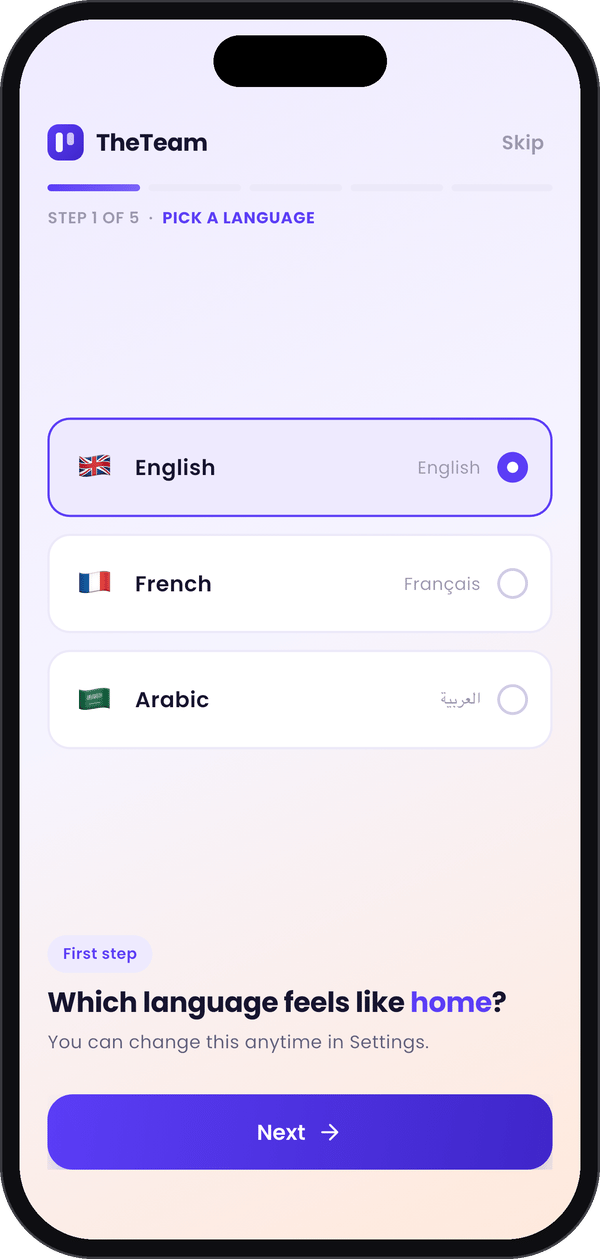
Step 1: pick a language.
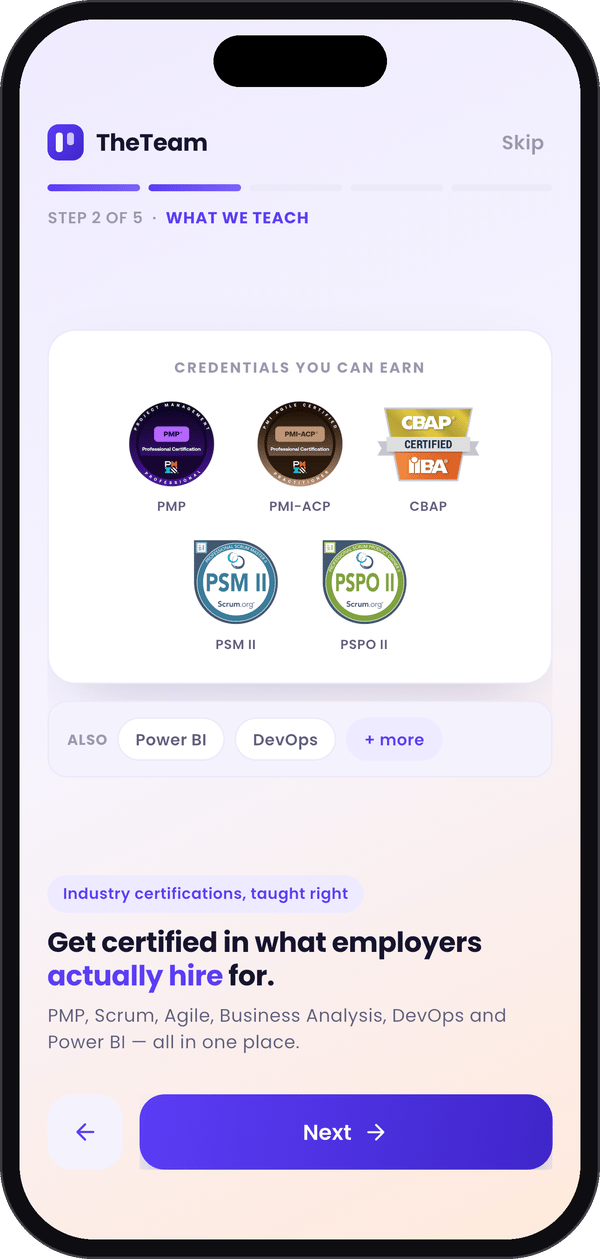
Step 2: what Strived teaches.
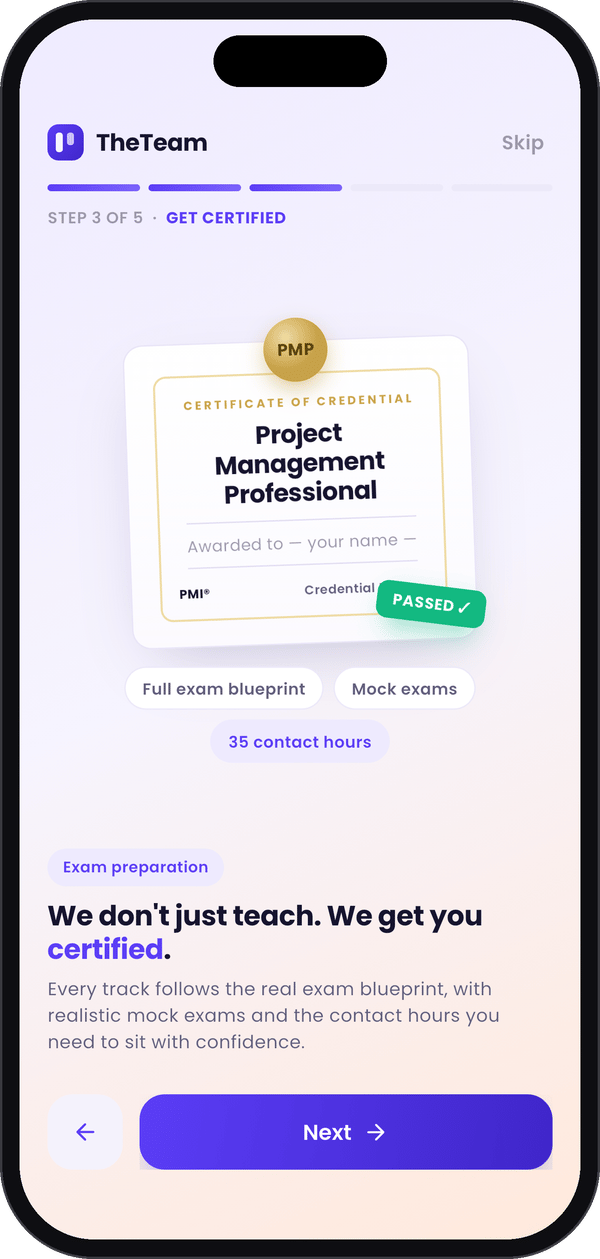
Step 3: get certified.
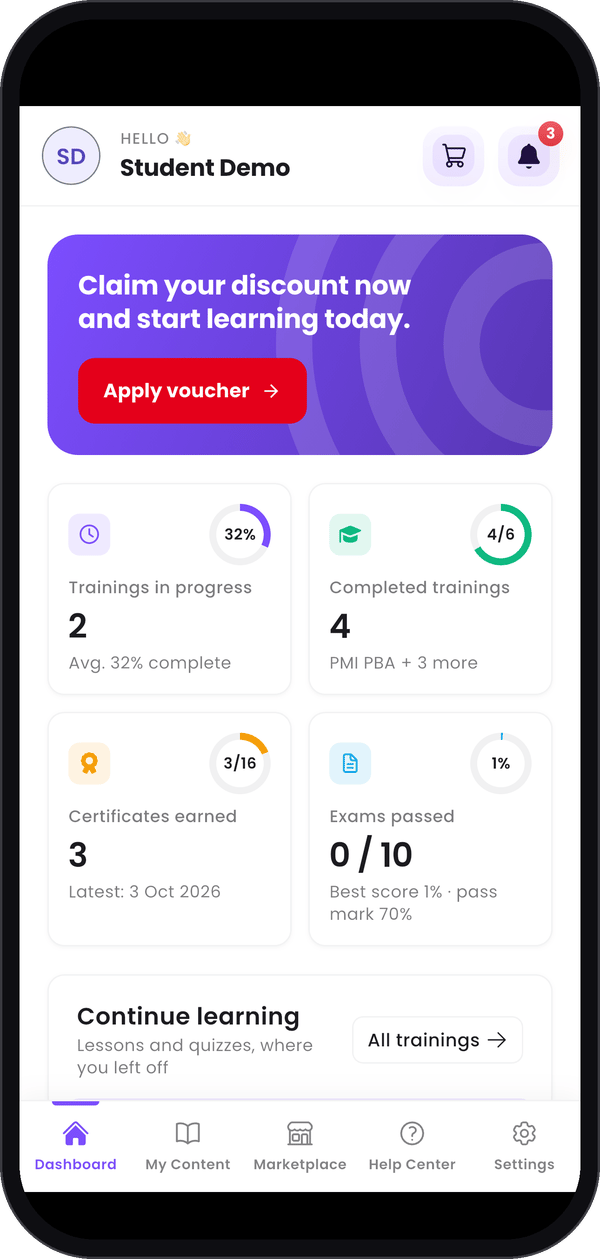
The learner's dashboard.
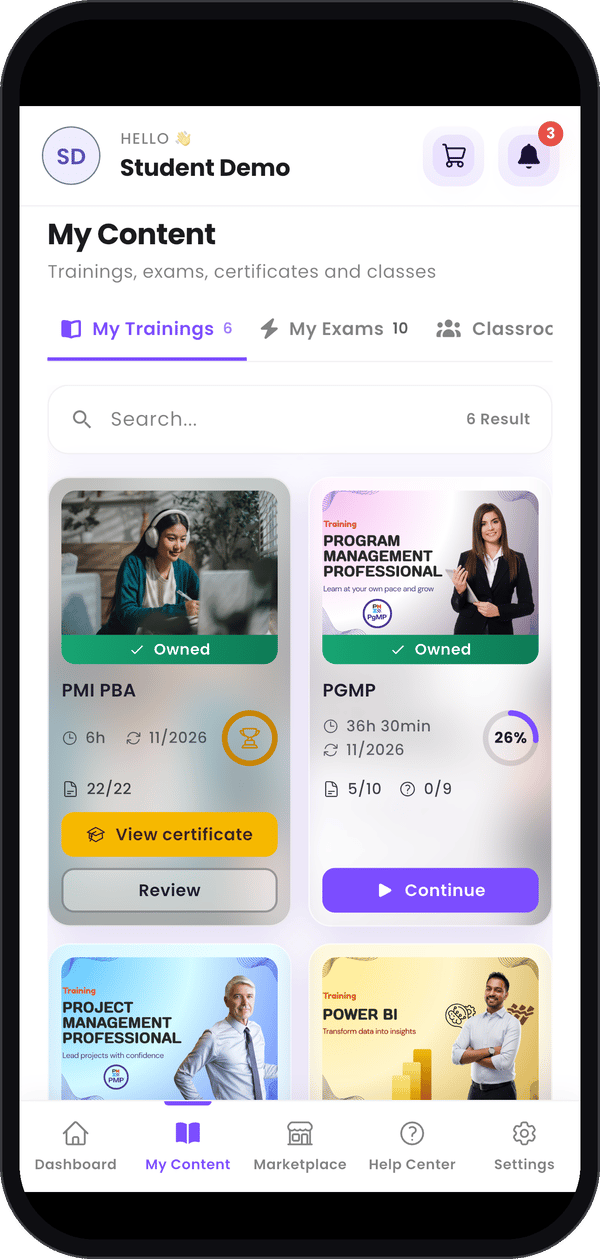
My trainings and progress.
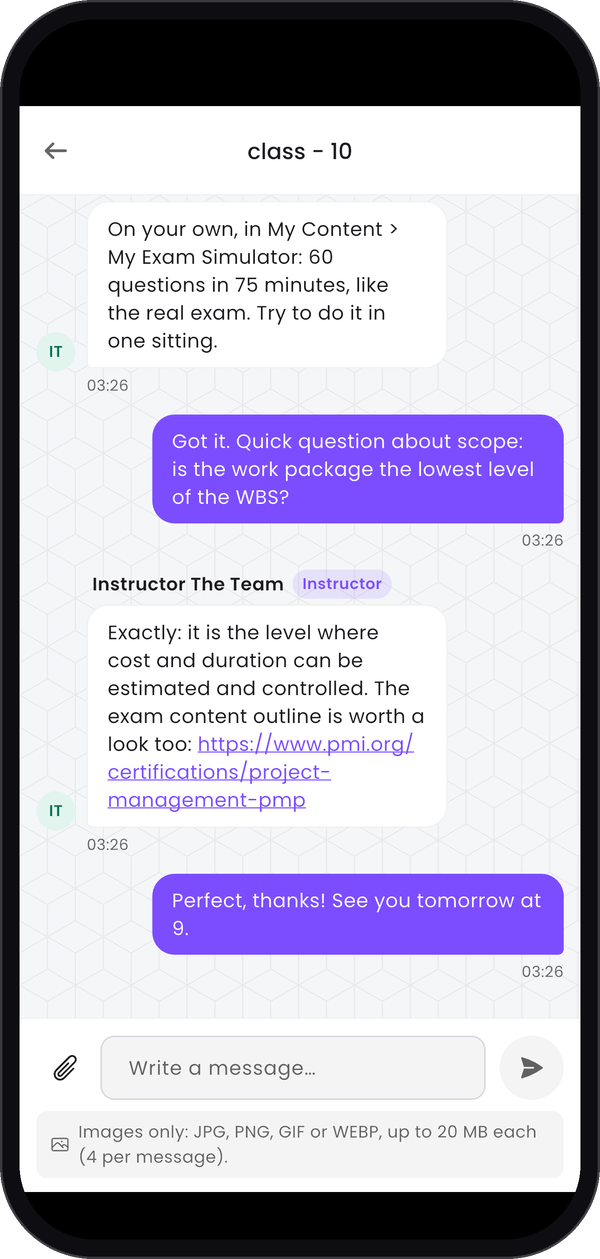
Chat with the instructor.
For instructors
The phone covers an instructor’s daily essentials: answer learners, send them news and keep an eye on trainings and classrooms. Creating and editing content stays on the web. See the instructor guide: Mobile App.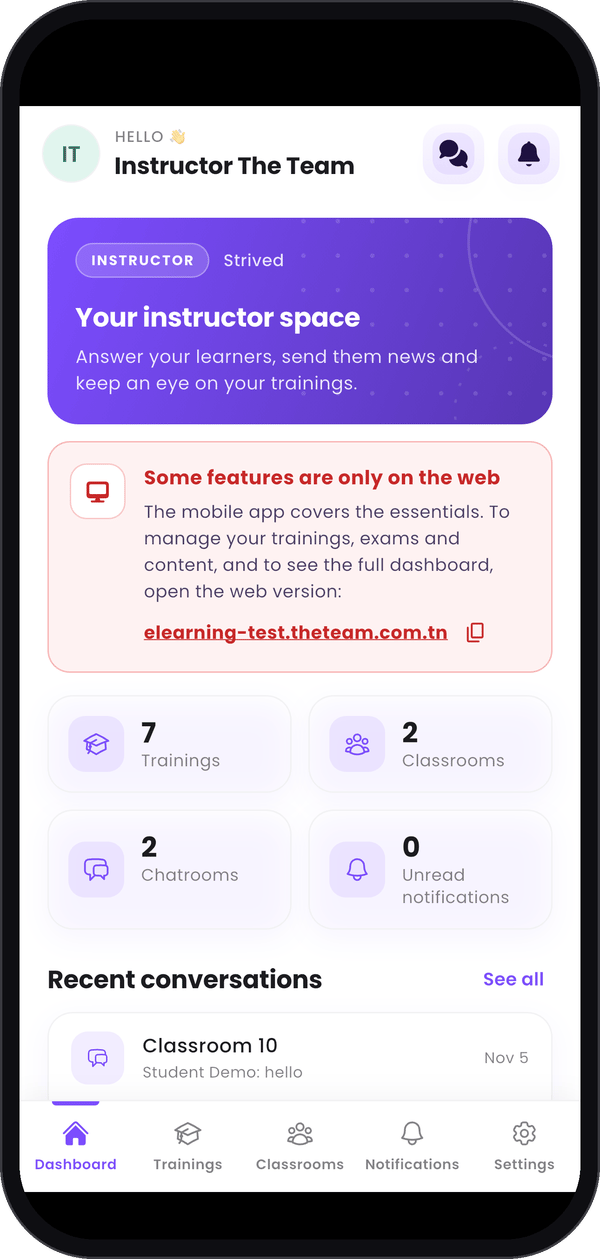
The instructor's dashboard.
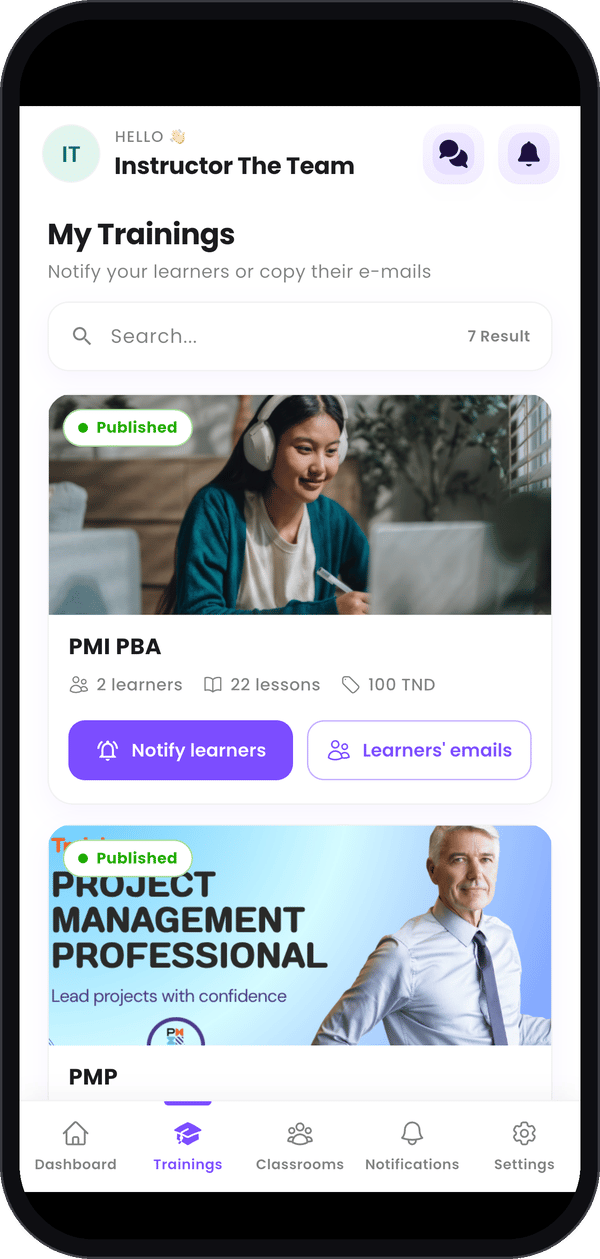
Notify learners or copy their e-mails.
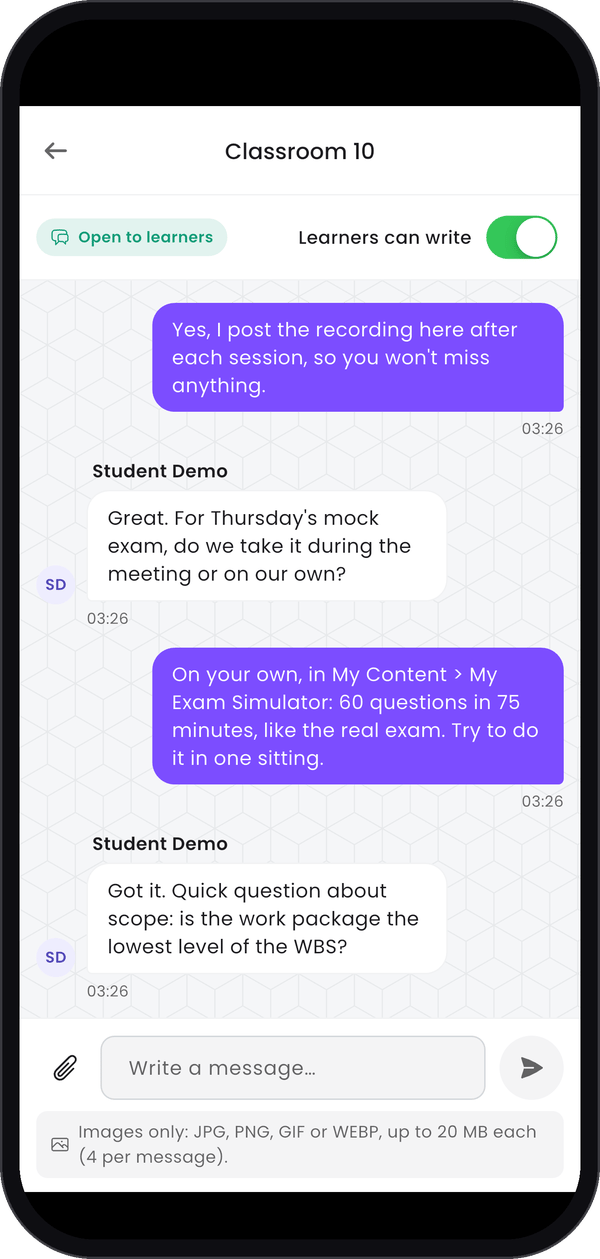
Answer the classroom chat.
For content managers and admins
These two roles work in the web app on a computer: the mobile app doesn’t open for them. See content managers and admins.What the organization gets
A marketplace
A catalog of trainings and mock exams with categories, a cart and discount coupons. Orders paid
by bank transfer, in cash or by cheque are confirmed by an admin.
Vouchers
A voucher gives a learner free access to a set of trainings and exams, sent by e-mail. Handy for
a company that enrolls a whole team.
Instructor revenue share
Each instructor gets a share of the sales of their content and follows it on their own sales
page, with PDF and CSV exports.
Communication
In-app notifications, sent to chosen users, a role or the whole company, by e-mail too, now or
later.
Coming soon: the AI assistant
An AI assistant is coming to the course player soon. Learners ask it questions about the training they’re following, and it answers from that training’s own course material, listing under each answer the parts of the course it used. It can also give the plan of the whole training, summarize a session, pick out the key points, explain a concept with an example, or quiz the learner on the course, in English or French. Only the learners enrolled in the training can use it.The AI assistant at work on a PMP training.
Read the guides
Every guide is a step-by-step walkthrough of the web app, with a screenshot for each step. Each role also has a Mobile App page for the phone.Student
Log in, study your trainings, take mock exams, get your certificates and buy new trainings.
Instructor
Build your public profile, create trainings and exams, run your classrooms and follow your sales.
Content Manager
Publish trainings and exams, update classrooms and keep categories and tags in order.
Admin
Manage orders, trainings, exams, vouchers and coupons, users, classrooms and notifications.
Made to fit your organization. Strived is highly customizable for companies and training
organizations: your name, logo and colors across the platform, certificates with your own
signature and stamp, e-mails sent in your name, and your own catalog of trainings and exams. Tell
us what your teams need, and we’ll shape Strived around it.